Inventory Management for 50,000+ Museum Artifacts
This project has been handed off and is expected to ship by April 2026.
Project Overview
In partnership with UofT Blueprint, a student-run product team that builds software for nonprofits, I served as a Product Designer for the Museum of Art and Digital Entertainment (MADE). I took ownership of an artifact lending platform that allows administrators to efficiently approve, monitor, and track inventory requests.
CONTEXT
A playable archive of your favourite classic video games
The MADE is a nonprofit museum with a vast archive of 50,000+ video games, consoles, and digital artifacts. Unlike traditional museums, it invites visitors to play with the collection, treating games not just as objects to observe but as cultural works meant to be experienced.
THE PROBLEM
So what happens between checkout and return?
Despite its scale, the MADE relies on a Google Sheet to manage its inventory. Every checkout, move, or return is logged by hand, and once an item leaves the shelf, its record can quickly become outdated. As a result, admins have no reliable way to track an item's availability and location.
USER RESEARCH
Interviewing museum staff to uncover failures in manual tracking
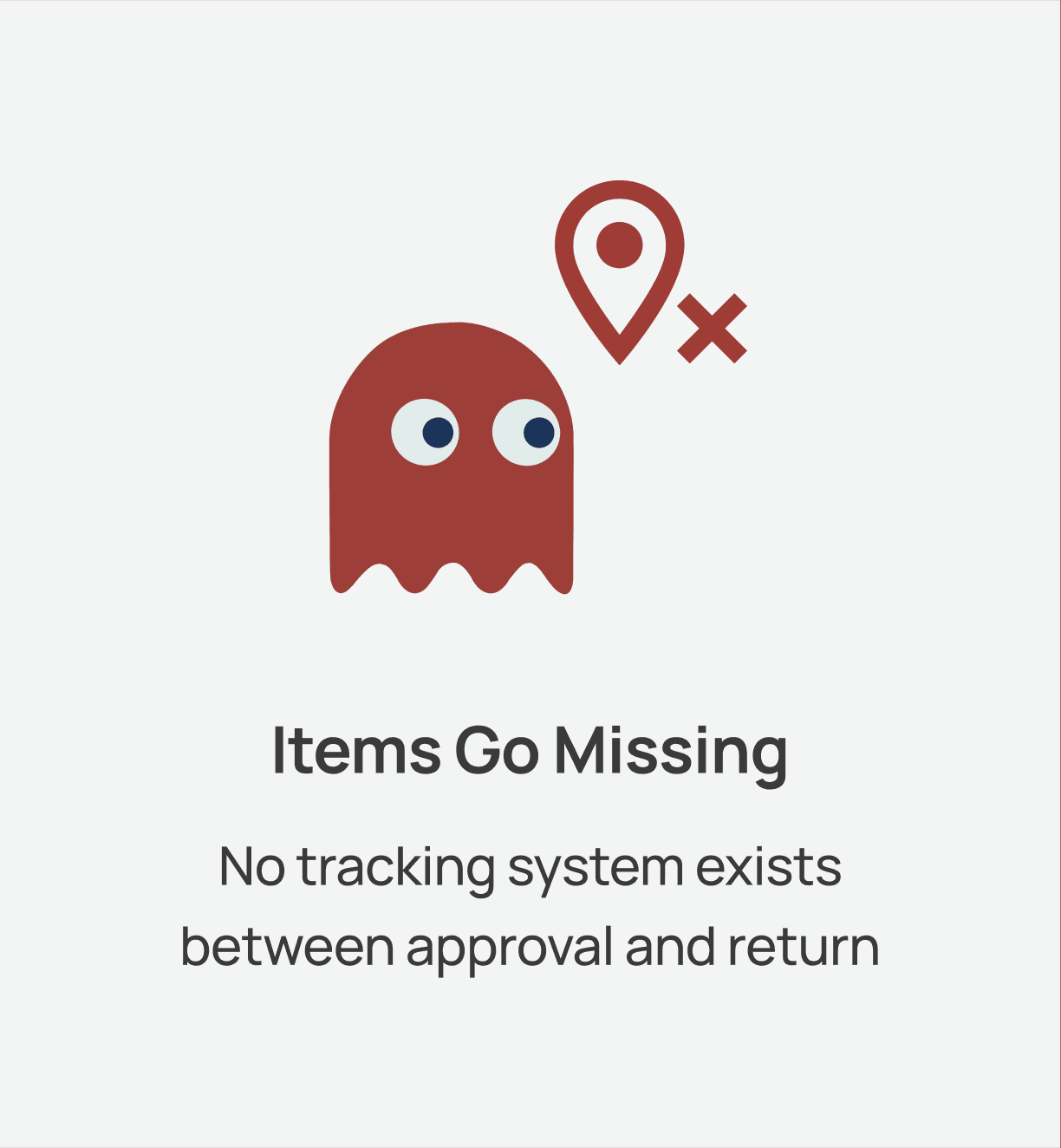
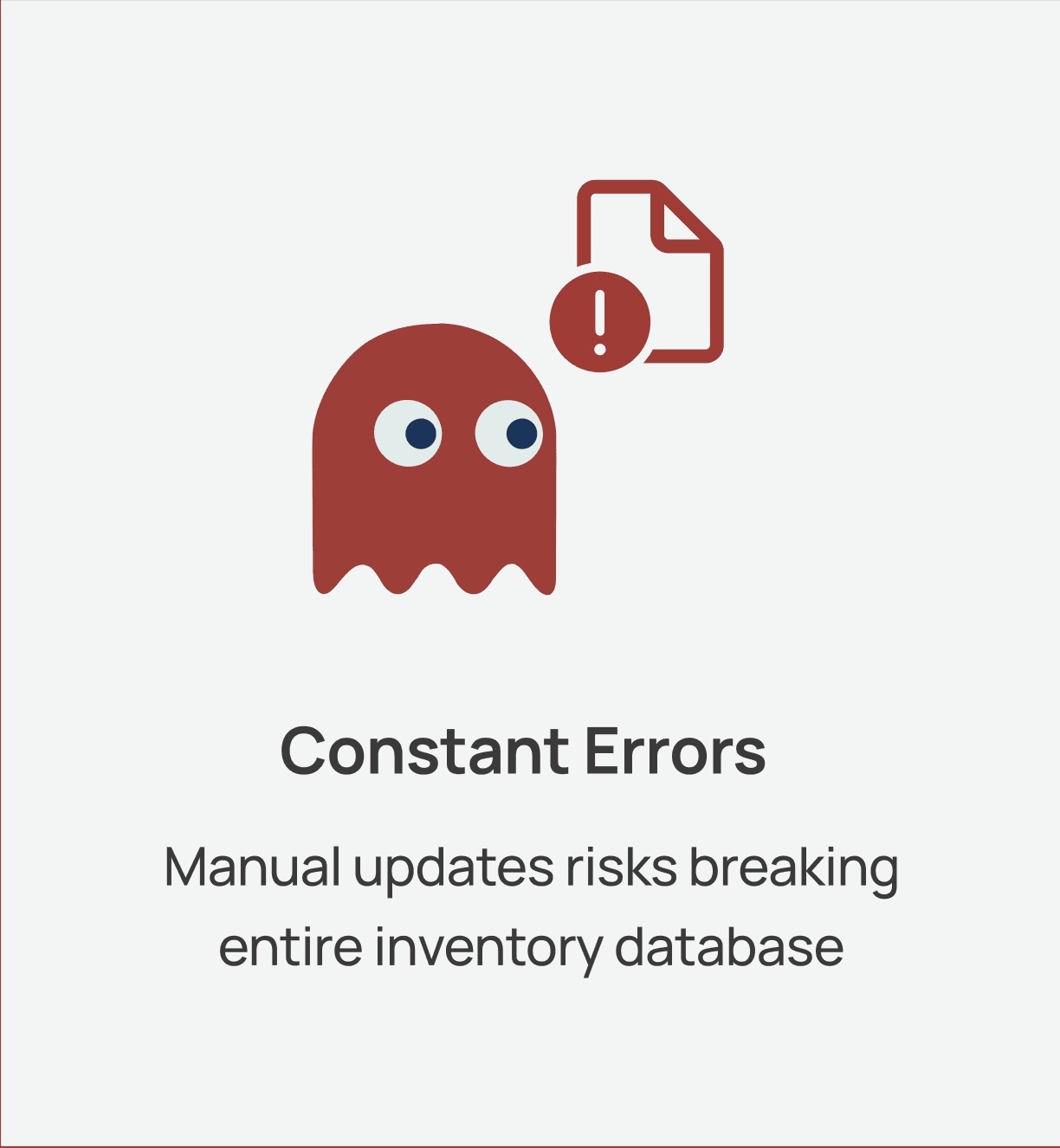
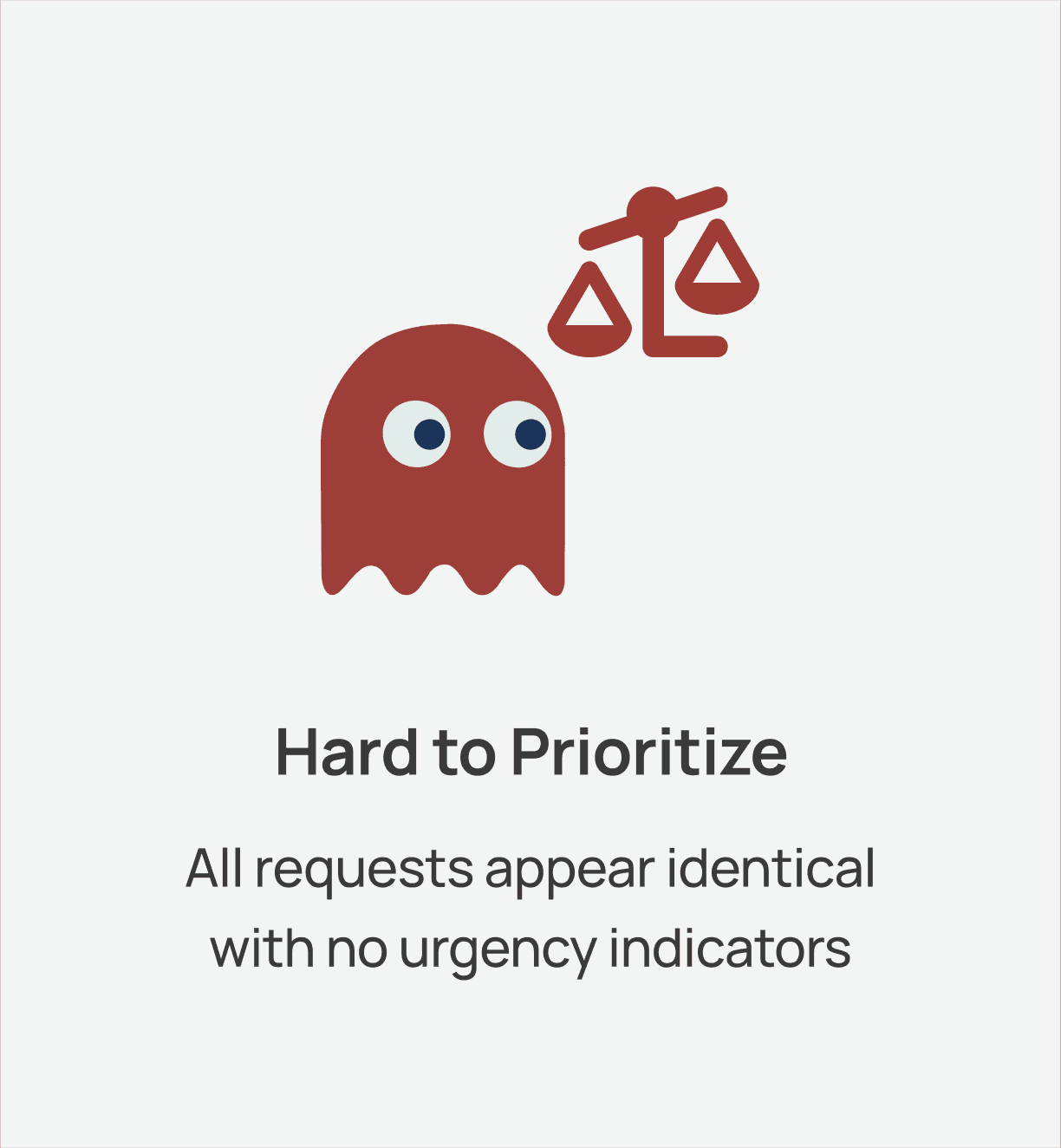
We interviewed Anders, the operations manager, and the staff who oversee lending requests to observe their workflow and identify where the current system breaks down. These sessions exposed three critical gaps:
Design Goal: Create a centralized tracking system that monitors artifact location and borrowing status throughout the lending lifecycle to preserve the museum's mission of making gaming history accessible.
First up, visualizing the full inventory request lifecycle
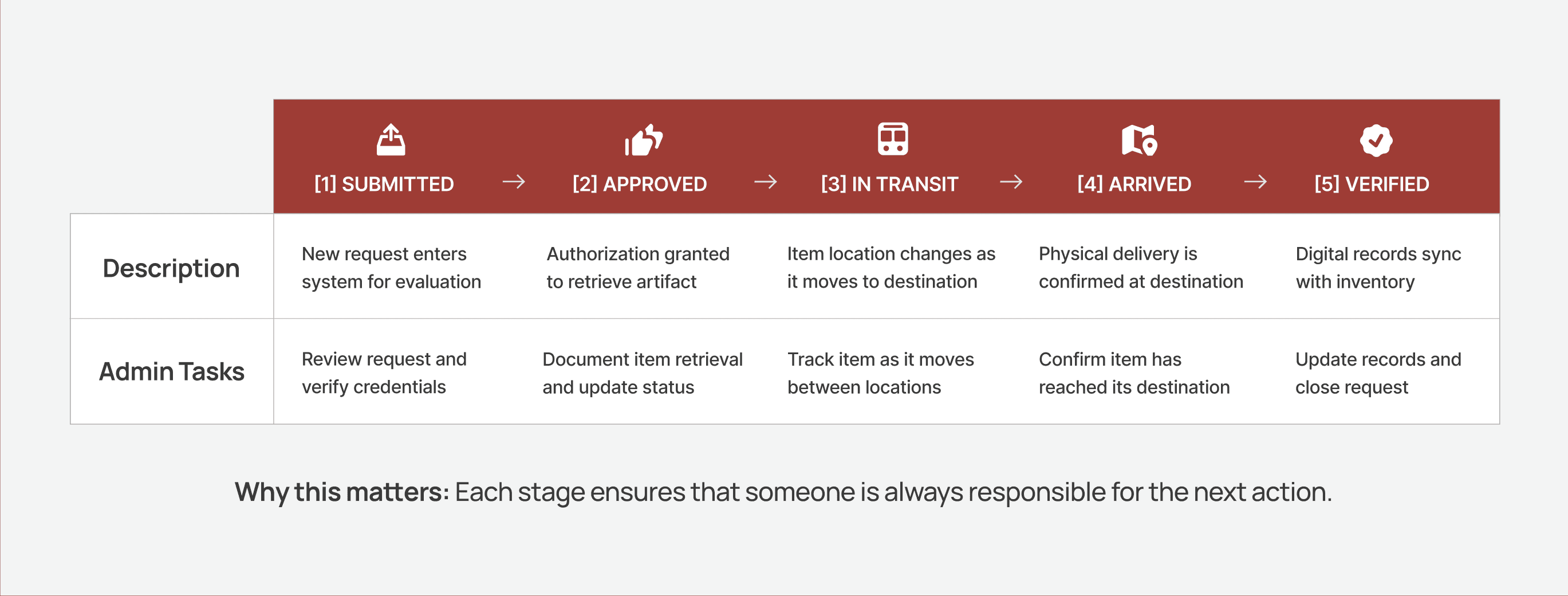
I transformed the museum’s informal request process into a clear, five-stage workflow. These checkpoints give admins visibility into each step of an item’s movement, allowing them to evaluate requests, track transit, and confirm arrivals. This creates accountability by establishing clear ownership at every handoff point.
How do admins evaluate requests and decide what to approve?
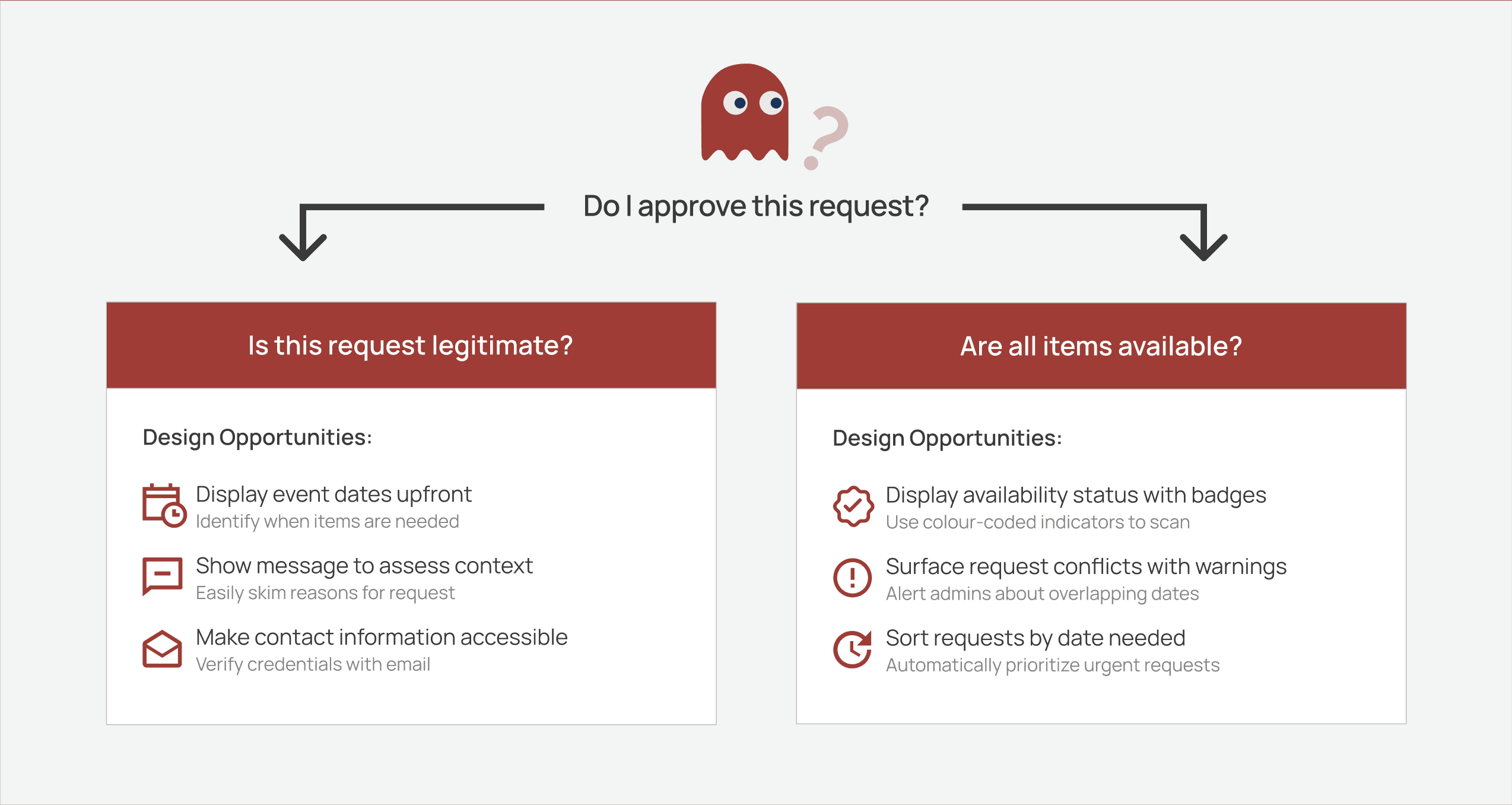
Building on my UXR findings, I identified two core questions that admins ask before making any approval decisions. Understanding this evaluation criteria allowed me to translate user needs into direct design opportunities that would simplify their decision-making process.
WIREFRAMES
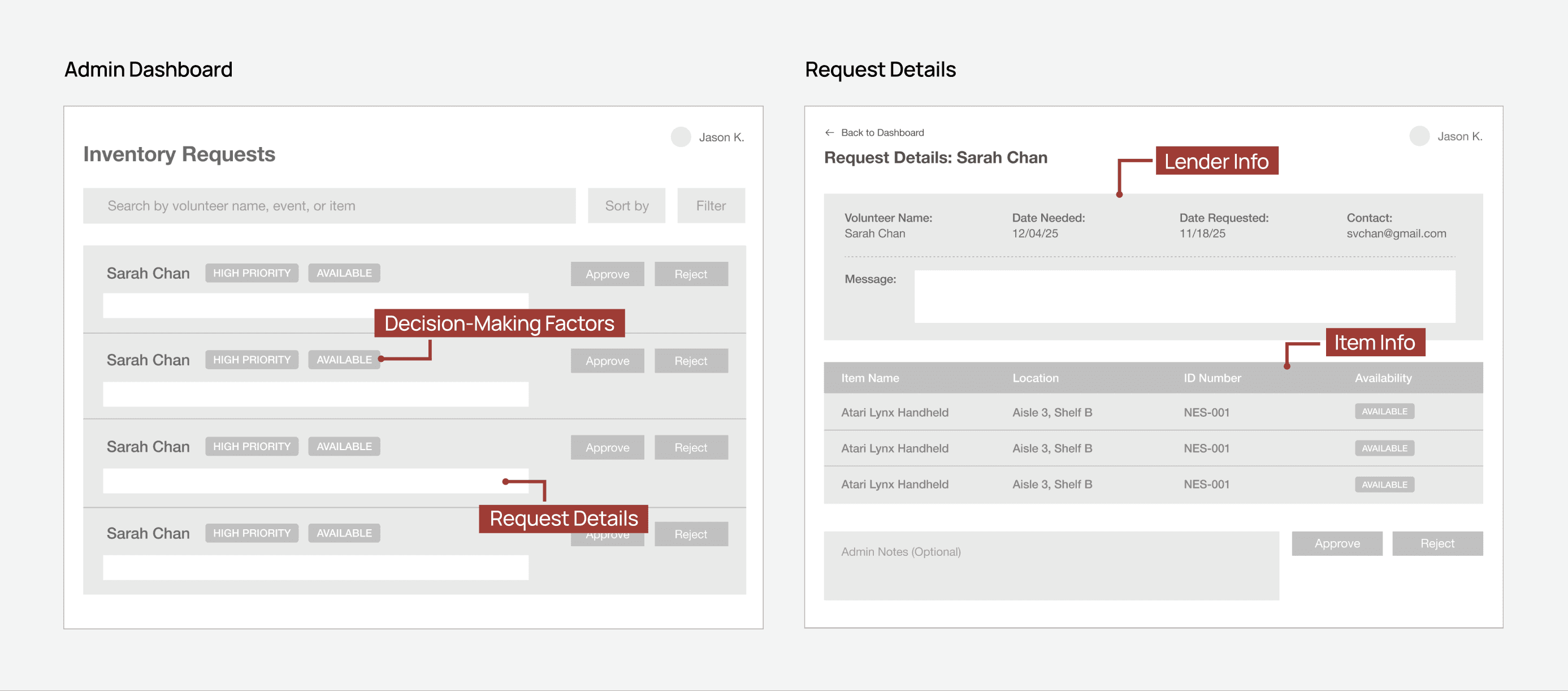
I focused on two core screens that handle the approval workflow
I learned that admins juggle two tasks daily: scanning dozens of pending requests then gathering enough context to make decisions. I created low fidelity sketches that support both actions.
Admin Dashboard
Displays all requests in one place with status indicators and urgency signals.
Request Details
Surfaces important context including item location, availability, and lender message.
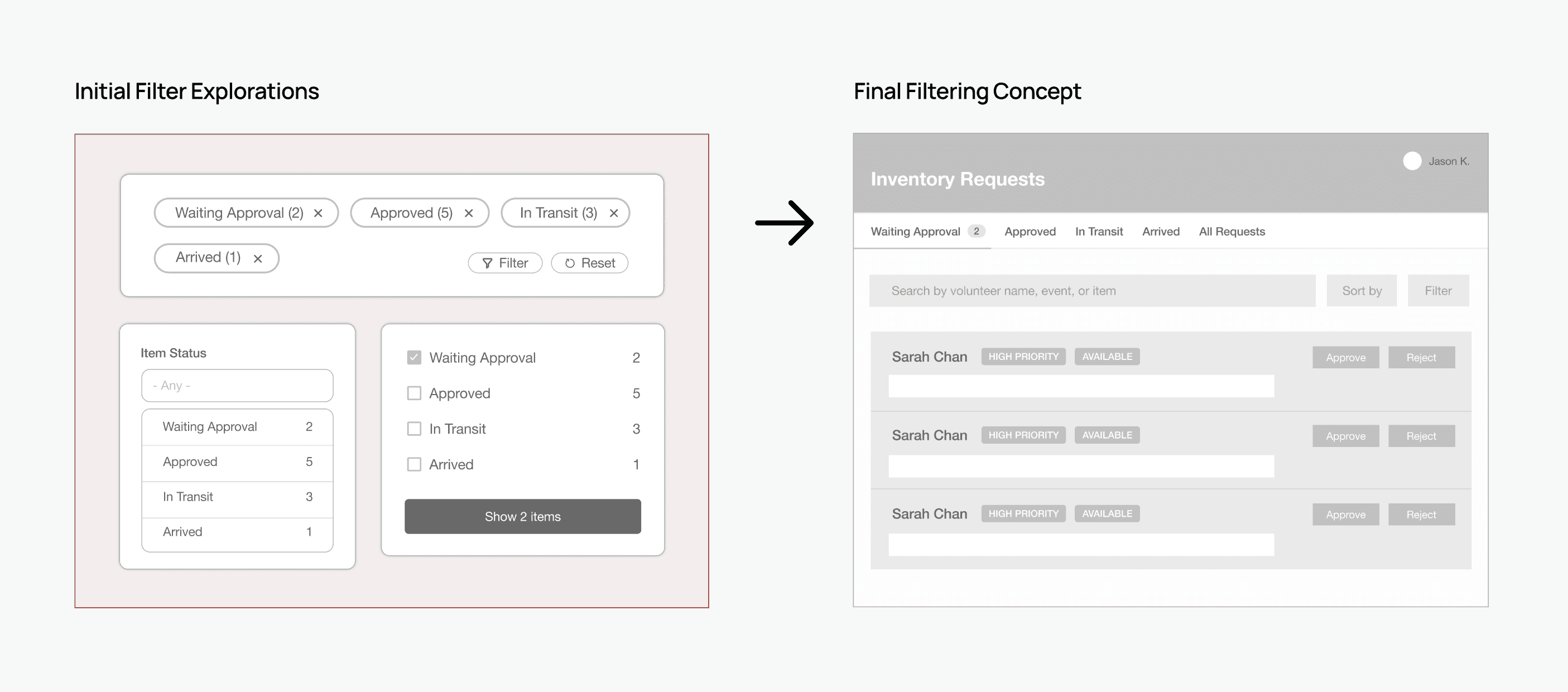
With requests spread across different stages, they needed to be sorted efficiently
My first instinct was to explore filters to select status categories, but this required admins to constantly switch between stages, making the experience feel repetitive and unintuitive. Instead, I designed a status tab that mirrors the physical journey of artifacts.
ITERATION
As I moved to high fidelity designs, I received one key piece of feedback
Admins need to view item details without opening each request. During triage, conflicts were not visible until a request was opened, forcing admins to repeatedly click in and out just to verify availability. I explored two approaches to surface item information while keeping admins in their existing workflow.
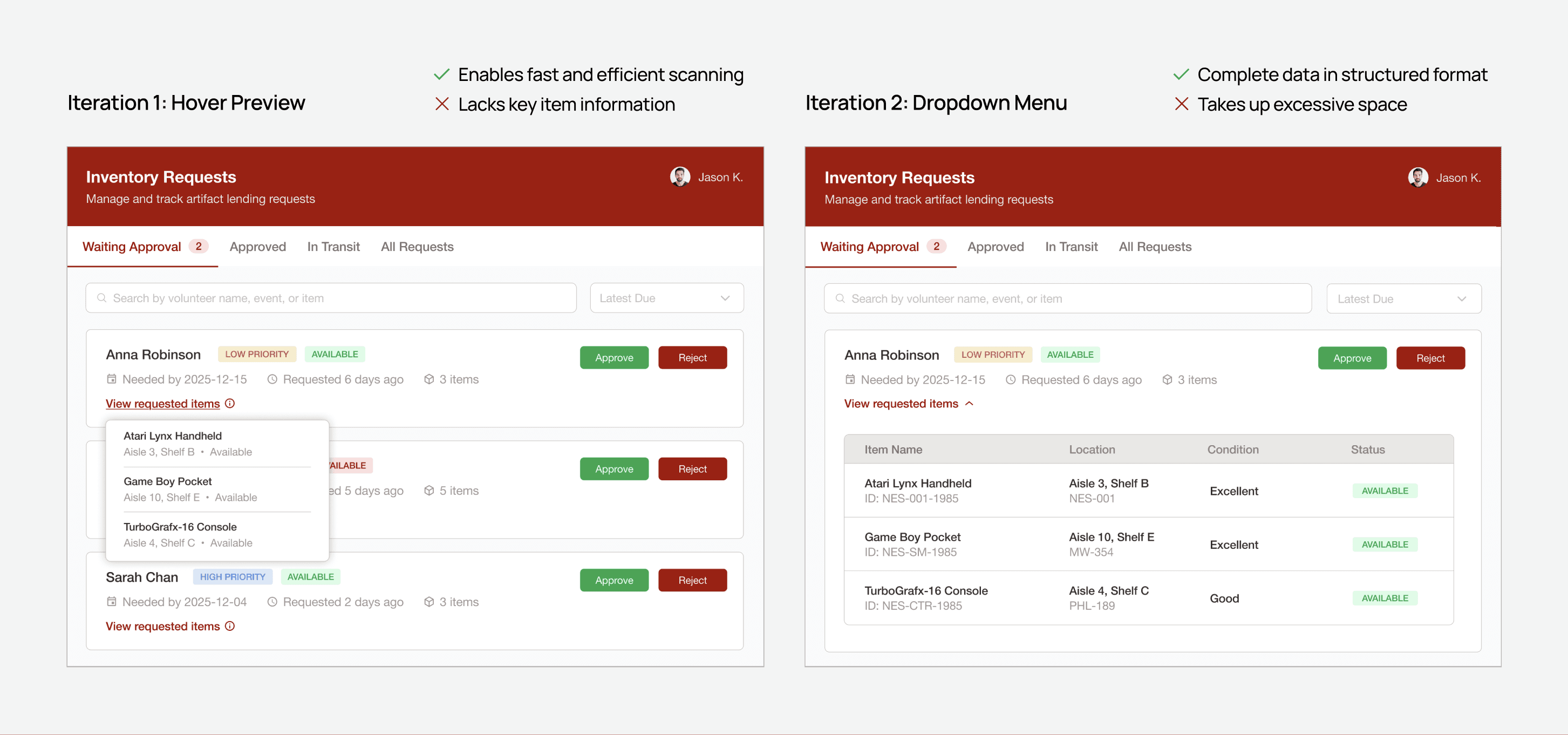
I chose the dropdown menu because reviewing item locations requires more than a brief glance. It often involves thorough examination and a dropdown allows this data to be presented in an organized way.
Consolidating ticket details to support multiple tasks
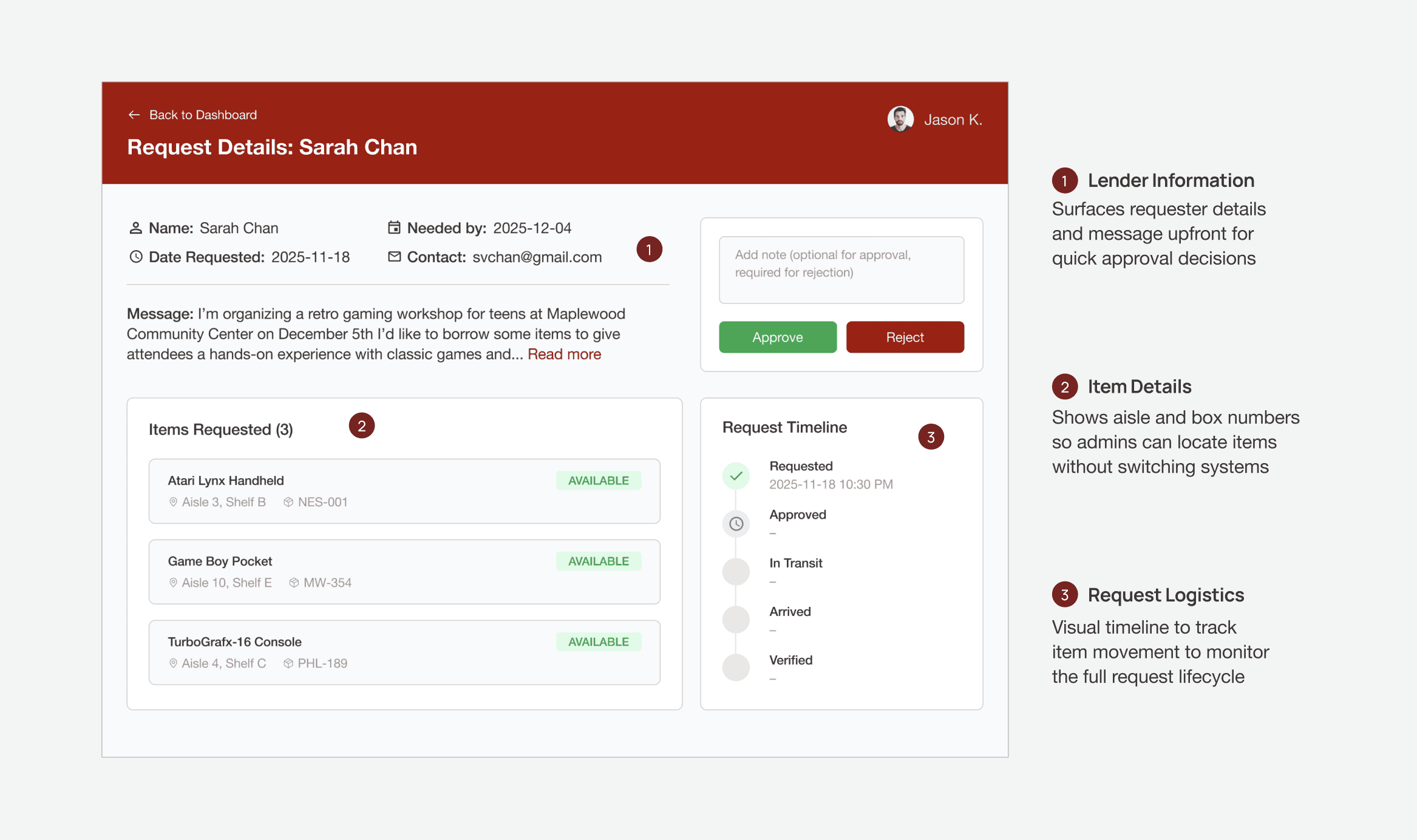
Requests are opened for a variety of different reasons: accessing lender information, locating items for shipment, or tracking logistics. I structured the page into distinct zones so each type of information could be accessed easily without reading the entire request.
What happens when an admin encounters a conflicting request?
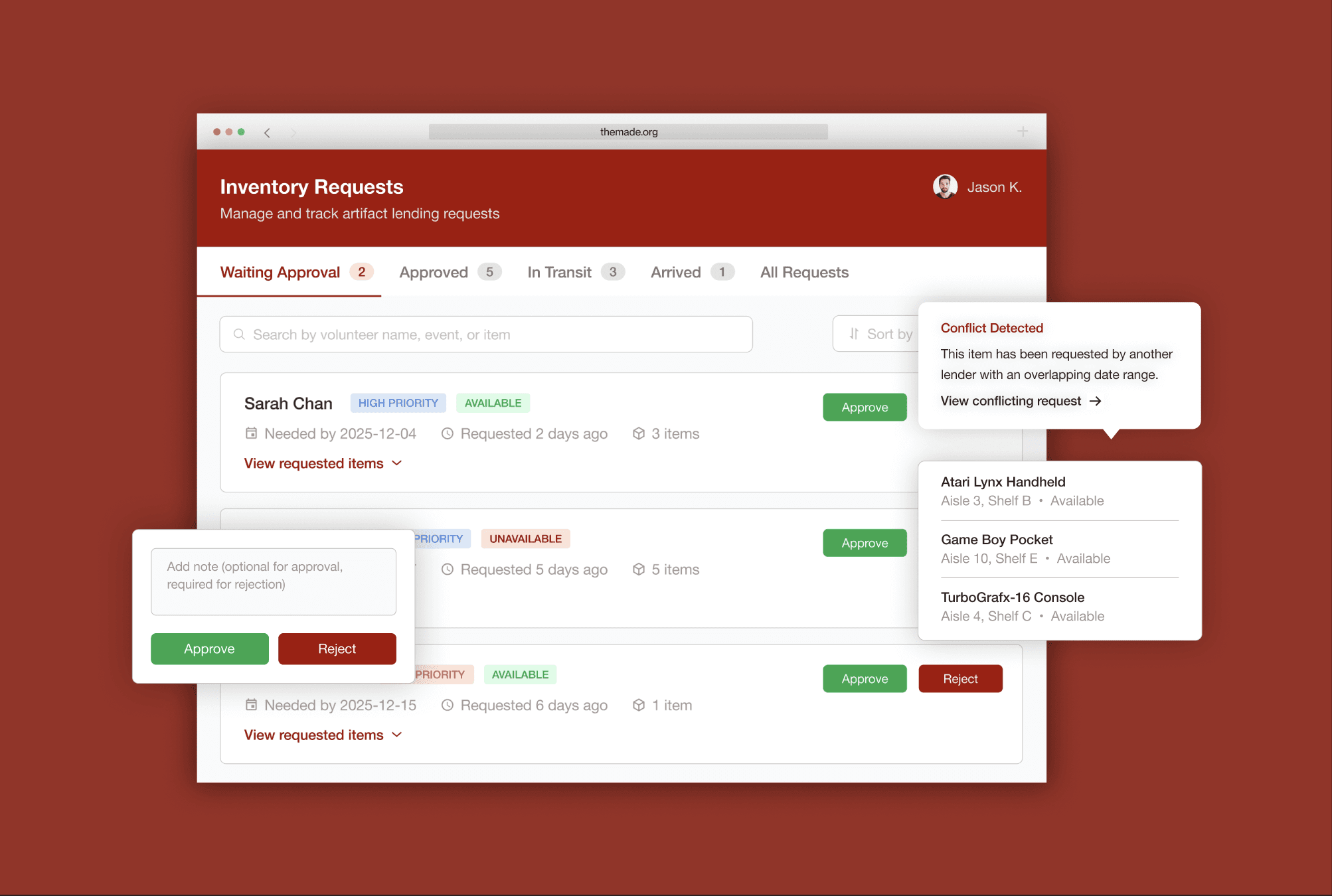
Another reason admins open requests is to resolve scheduling conflicts. I tested three tooltip variations to determine how it could guide admins towards making informed decisions and support their workflow.
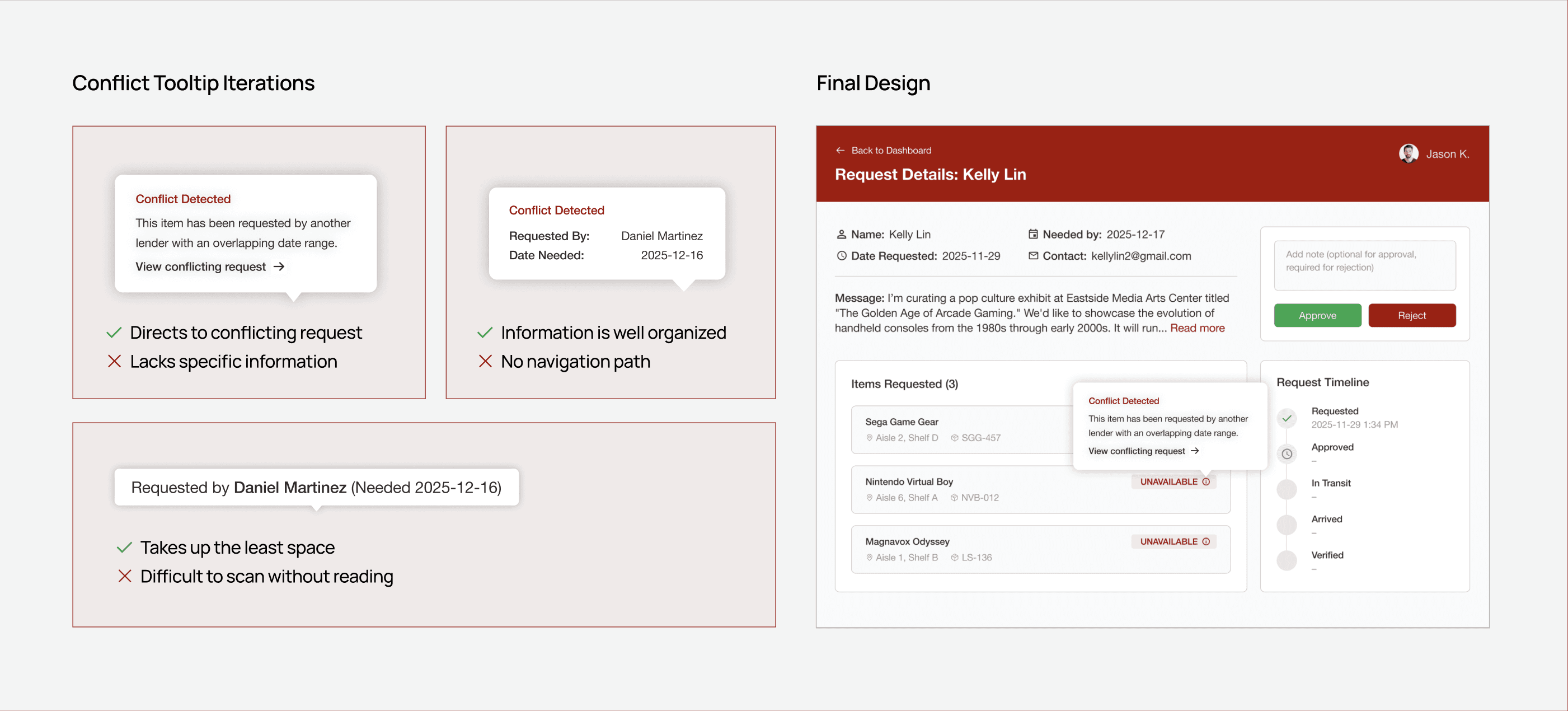
I chose Iteration 1 because it focuses on the admin’s immediate next action: viewing and comparing overlapping requests. While Iterations 2 and 3 provide more context upfront, they force admins to exit the current request, return to the dashboard, and manually search for the conflicting requester.
BUT WAIT
Keeping digital records in sync with real-world movement can be tricky
Recall: One of the pain points we identified earlier was items vanishing after checkout. The Google Sheet captured this initial handoff, but there was no mechanism to track movement beyond that point.
Once a request was approved, the item began physically moving through the museum, passing through multiple locations and being handled by different staff members. My challenge was making sure these transitions were accurately reflected in the system.
SOLUTION
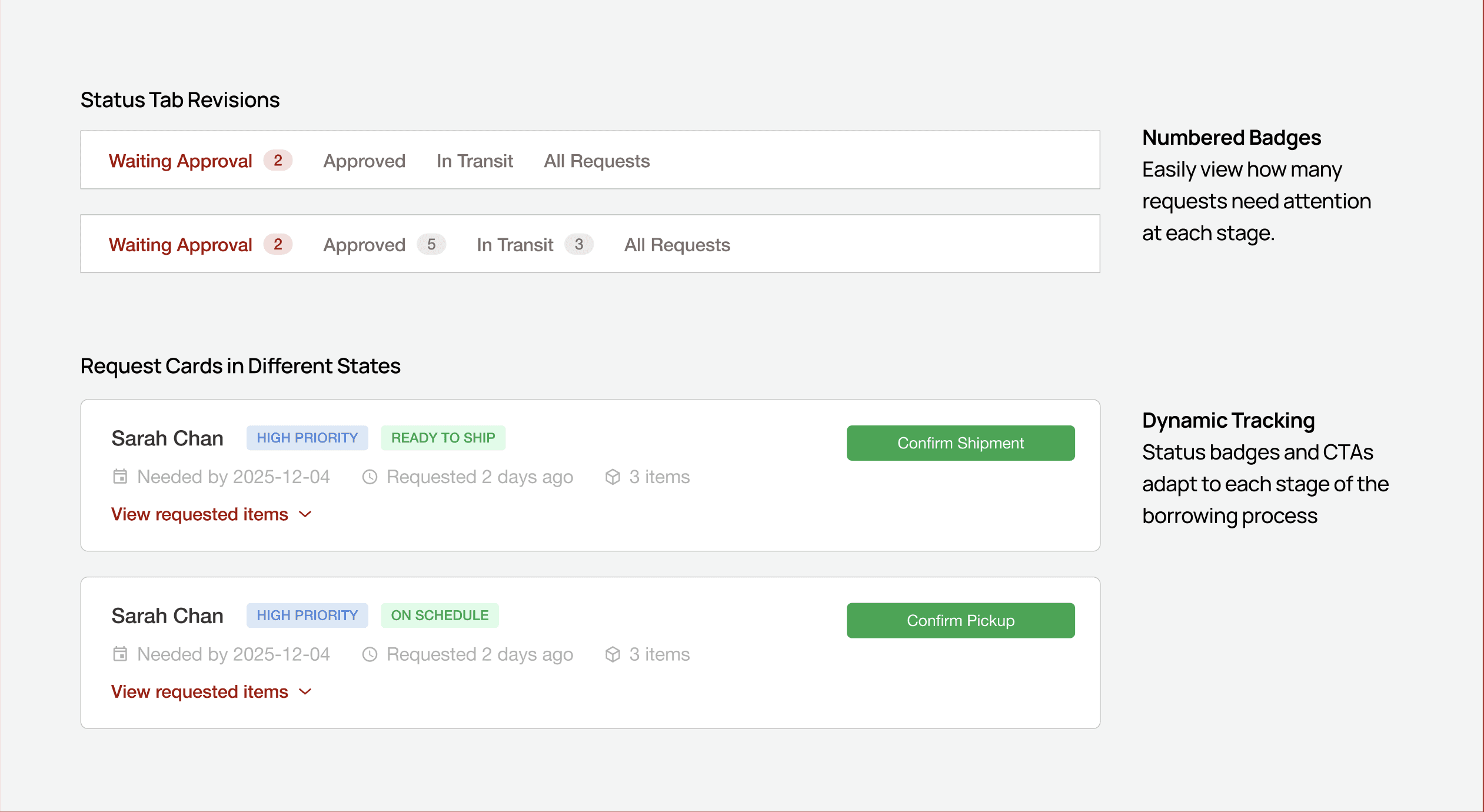
I revised the status filter and defined admin tasks for each stage
By adding numbered badges to all tabs, admins can immediately see how many items need attention at each stage. Contextual CTAs within the tabs let them update requests intuitively, and these updates automatically sync across both the dashboard and the request timeline, keeping digital records aligned with movement.
FINAL PROTOTYPE
A dashboard to approve requests and track artifact movement
Want to hear the full story?
Please reach out to me if you'd like to learn more! I typically share my complete research process and detailed design explorations in an interview setting or coffee chat.